I think you should use AI for self-actualization not self-replacement & enrichment more than efficiency. OK.

You may wonder: What does that even mean?

I’d like to help you (or your team) help yourself to:

  • Face the AI wave and leverage it

  • Learn new things you’ve always wanted to learn

  • Scratch itches in the back of your brain for years

  • Stand ideas up and decide to build with more information

  • See what the tech is capable of and what YOU are capable of

Squarespace Tinker banner 1500x727@1x.png


“

In the summer of 2026, a 16-year-old lifeguard saved a young boy from suddenly tumultuous waves just over the hill from where I live. Even as huge waves crashed into both of them, the lifeguard stuck to his training and never turned his back on the ocean. As wave upon wave of tech innovation crashes on us, with AI being the latest, I believe we are all more prepared when we face the ocean, tinker with the tools and tech, and learn not just what the tools and tech are capable of, but what we, ourselves, are capable of.

Whether you’re in the shallow end or ready for a free swim in the ocean, let’s play! I’ll bring the floaties.

– Excerpt from TINKER: What 20 Years of Tinkering Taught Me About Freedom, Fun, and What's Next


I’m here to be helpful. Not to sell you tools or make things for you, but to help you bring your own visions to life. For yourself. For your team. For your organization.


how i’ve been tinkering


LEARNING

  • Have you heard how good lifelong learning is for your brain?

  • Is there anything you have always wanted to learn?

  • Do you need support to stay current in today’s workplace?

Lifelong learning is a longevity “hack” people talk about, without necessarily sharing how to do it. Consider building custom tools that fit with the way you learn best. For me, it started when I wanted to re-learn how to read tarot. I built a six-week curriculum, leaning on resources I already had on hand. And integrating additional resources that were freely available. Could I have built a curriculum myself, after a career full of such development? Sure. Using Claude was quick, fun and a low stakes way to see what both it and I could do.

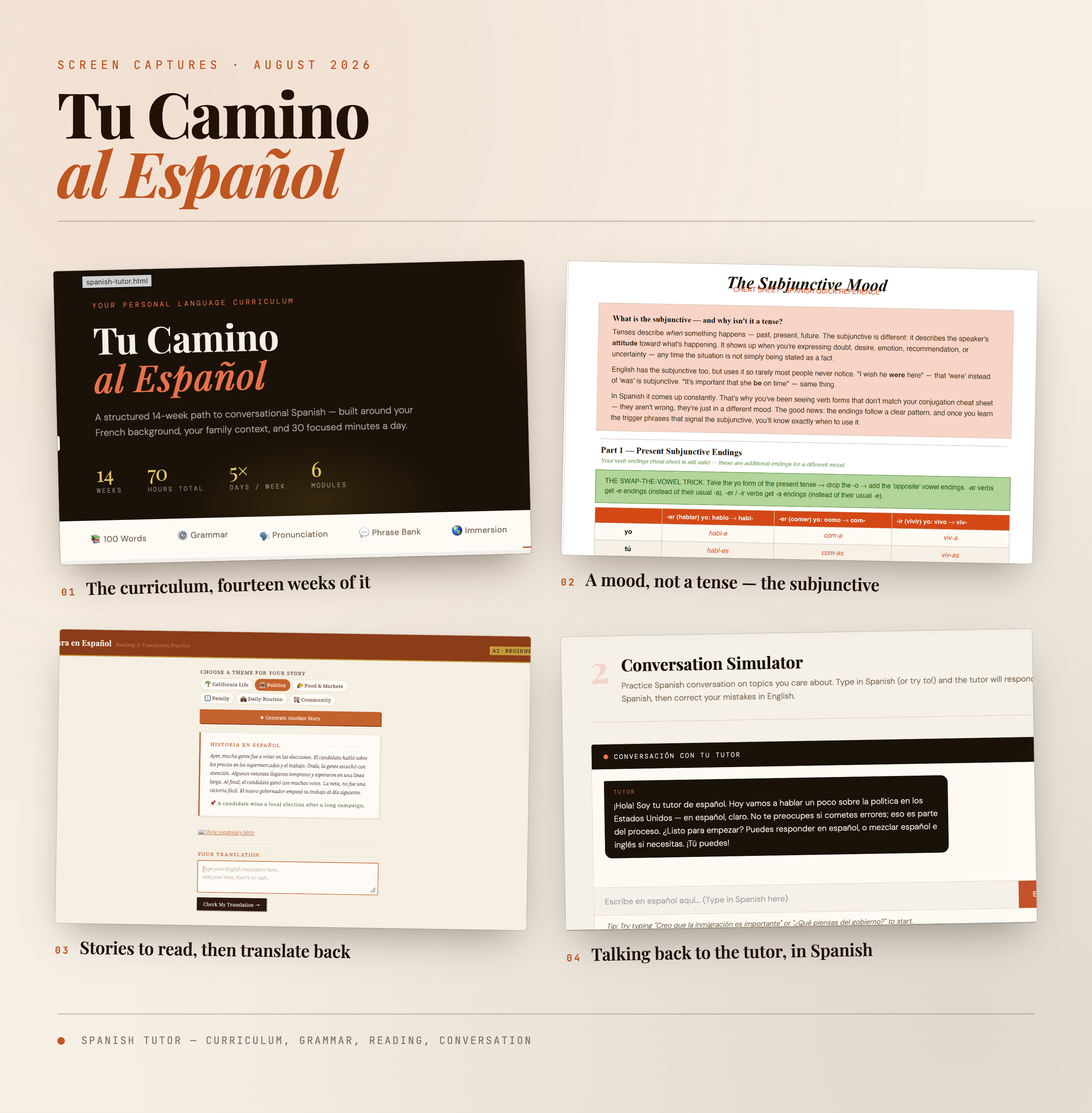
Next, I decided to address a lifetime regret that I hadn’t learned Spanish as the child of a Spanish-speaking immigrant. I built a curriculum, based on my cultural context, my knowledge, and my locale. I continue to enhance that curriculum, adding:

  • Verb conjugation cheat sheets

  • A storytelling translation tool to practice translating the written word

  • A dedicated chat thread where I can practice both written and verbal conversions in Spanish and get gentle corrections along the way

6 months later, I still practice every day and am steadily improving in every way. A lifetime of regret finally being resolved!

BUILDING

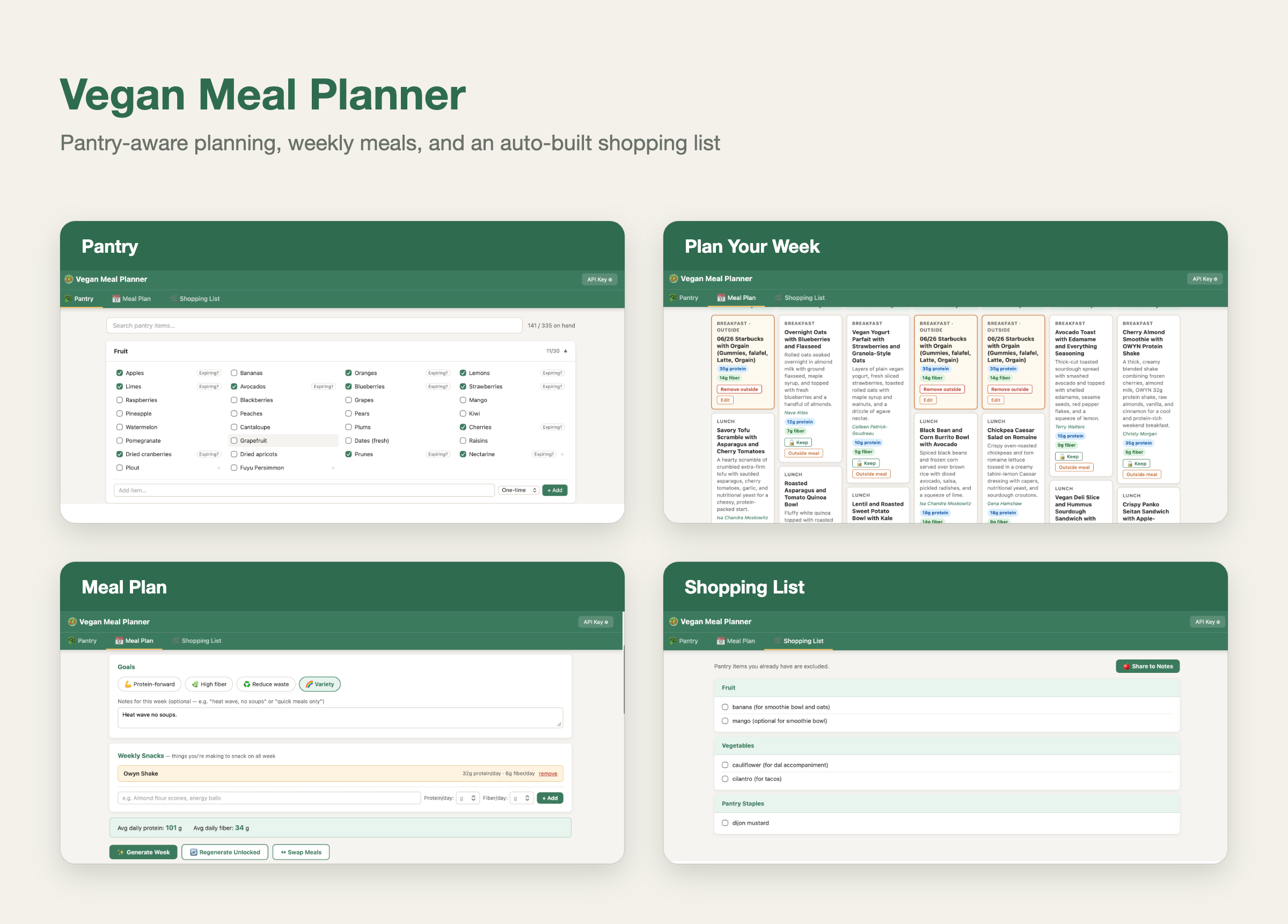
15 years ago I took a friend to lunch who was an engineering project manager. I described an idea I had for a meal planning app that would do several things at once…learn my preferences, reduce my food waste, help me inventory what was on hand, use it up, and shop for what was needed, while preferably leaning on the recipes I was saving every day via Pinterest and my NY Times recipe box. She told me it would require three different kinds of engineering expertise. All these years later, I made the tool I had dreamed of for my personal use, and then I spun up a version you can use (if you add your own Claude API key to do the meal planning task). Check it out!

Along the way I’ve built other things that are helpful in my day-to-day work:

  • A morning briefing fine-tuned to the info I want to start my day, including pulling one item a day from a reading list workflow I created to capture articles from my copious web-surfing. I’ve gotten that list down from over 200 items to under 20!

  • An alt-text generator for images

  • A series of music playlists to help me sleep, drawn from my own music library

  • An opportunity tracker with a decision-making matrix that lets me compare how I want to allocate my time and energy against how I’m allocating it in reality, and how I would be allocating it if I took every new project that floated by! (Great work Jory Des Jardins and I did with Optionality.)


SCRATCHING PRODUCTIVITY ITCHES (ONE CLICK IS BETTER THAN THREE!)

Yes, Tinkering has helped me learn and exercise my maker muscles, but sometimes you really do just want something to help you be more productive. I’ve taken so many things that used to take me multiple clicks and turned them into something available with a single click. It makes me happy every time, just to save those two little clicks! For example:

  • A Top Task Tracker resembling color-coded post-it notes that opens from my menu bar

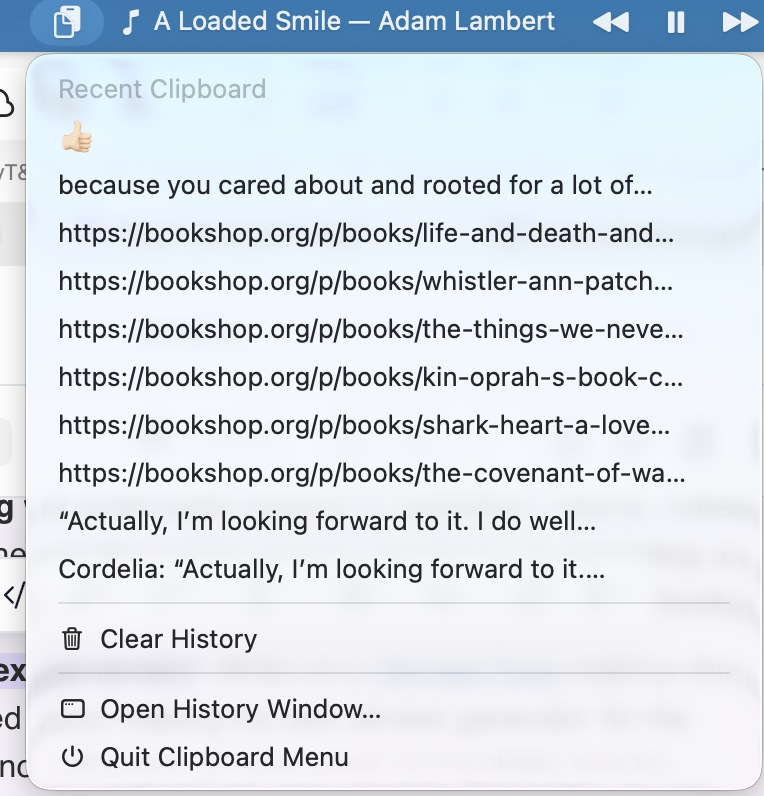
  • A clipboard icon for my menu bar that retains the last 10 items I copied

  • Apple Music controls in my menu bar that let me pause/play, skip/go back with a click


“

Today it’s about AI, but it’s really about a mindset. A Tinkerer’s Mindset. It’s about learning that you can always still learn. It’s about how it’s better to make your apprehension concrete, not abstract. It’s about how much more likely you are to discover you don’t like something than to figure out you’re incapable of doing it.It’s about freedom…having more options, more control of your destiny, and more fun while you’re at it!

– Excerpt from TINKER: What 20 Years of Tinkering Taught Me About Freedom, Fun, and What's Next